Convert
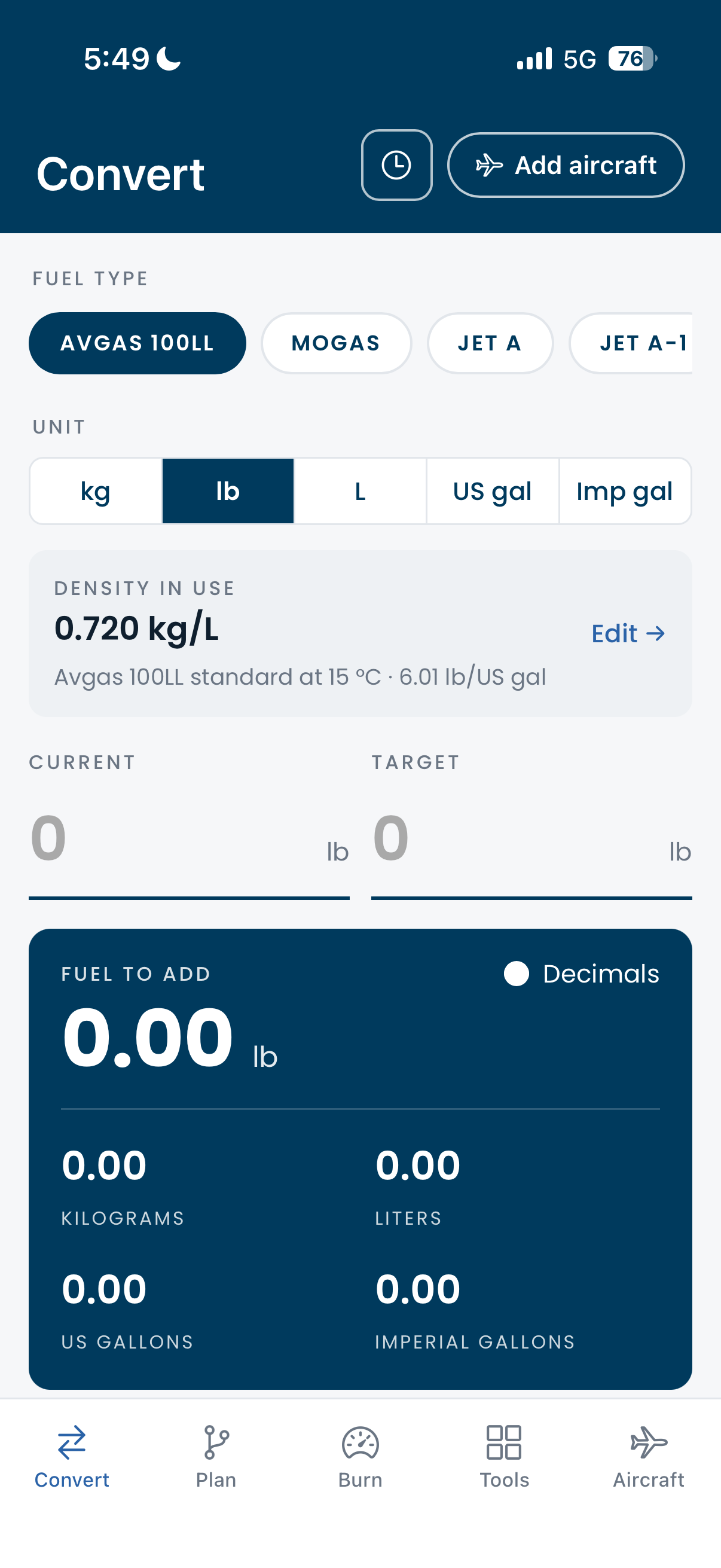
Five units, live as you type.
Pick the fuel, pick the unit, type what is on board and what you want. FuelCalc shows the fuel to add in your unit and in the other four, using the density you actually have.
- Density in use is always visible and always editable: the standard at 15 °C, the figure from the fuel slip, or the standard corrected for outside air temperature.
- To tabs and full come straight from your aircraft profile.
- History keeps recent conversions and plans. Tap a row to bring it back.
Plan
Fuel required, line by line.
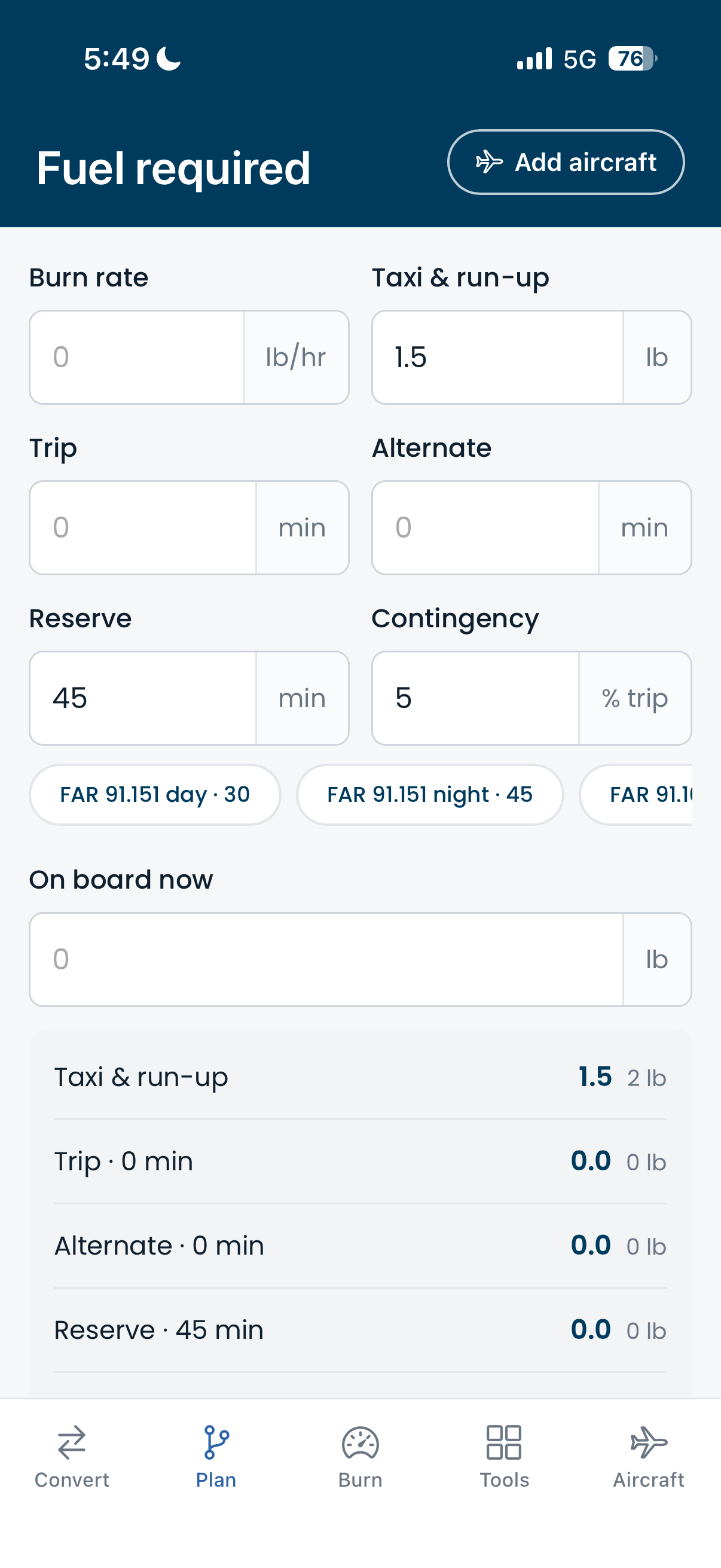
Enter burn rate, taxi and run-up, trip, alternate, reserve, and contingency. FuelCalc totals it, shows each line in weight and volume, and tells you how much to add from what is already on board.
- Reserve presets for FAR 91.151 day and night, FAR 91.167, and EASA, one tap each.
- On board now is shared with Convert, so it only needs typing once.
Burn
Endurance and range, with the reserve held back.
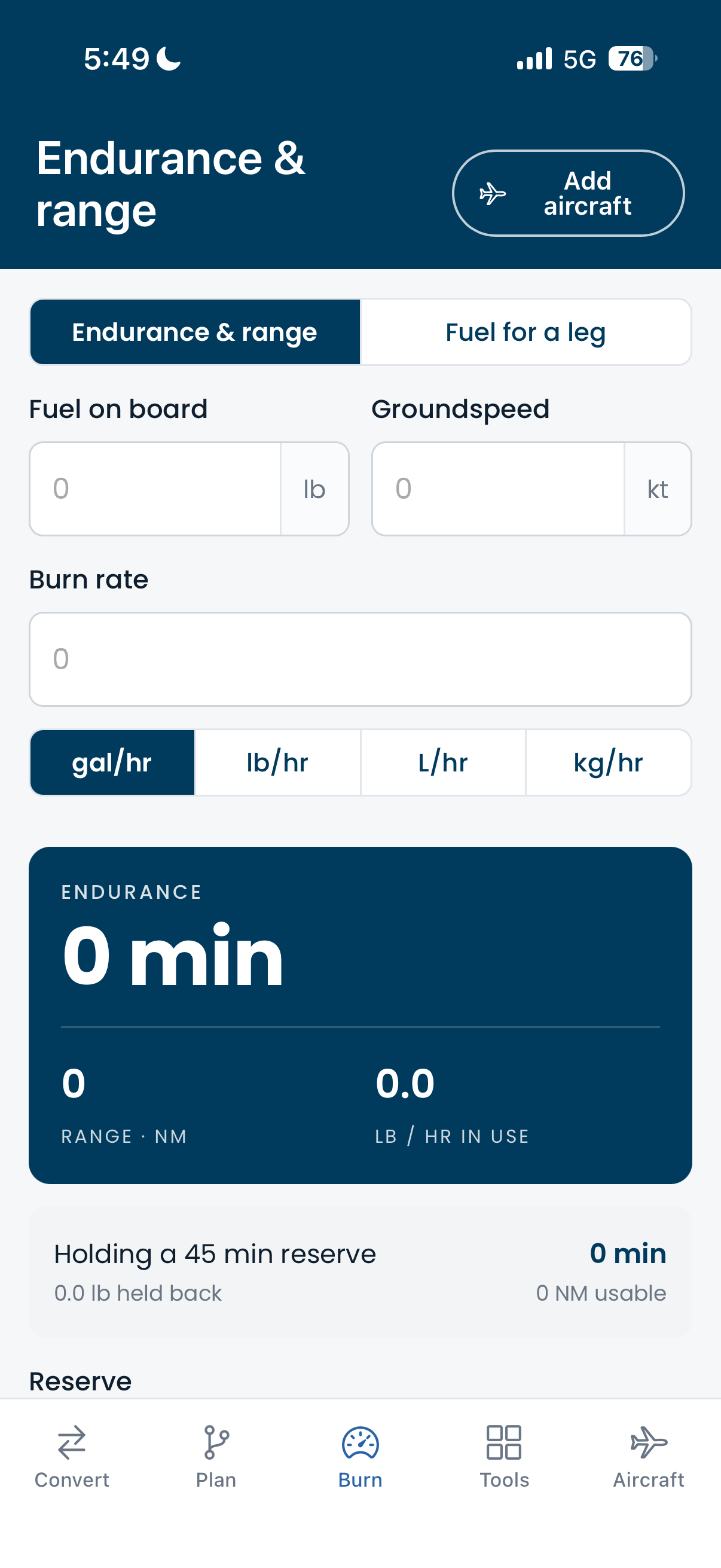
Fuel on board, burn rate, and groundspeed give endurance in minutes and range in nautical miles. The reserve you set is subtracted and shown separately, so the usable number is the one you see.
- Burn rate in any unit: gal/hr, lb/hr, L/hr, or kg/hr, converted at the density in use.
- Fuel for a leg from time or distance, on the same screen.
Tools
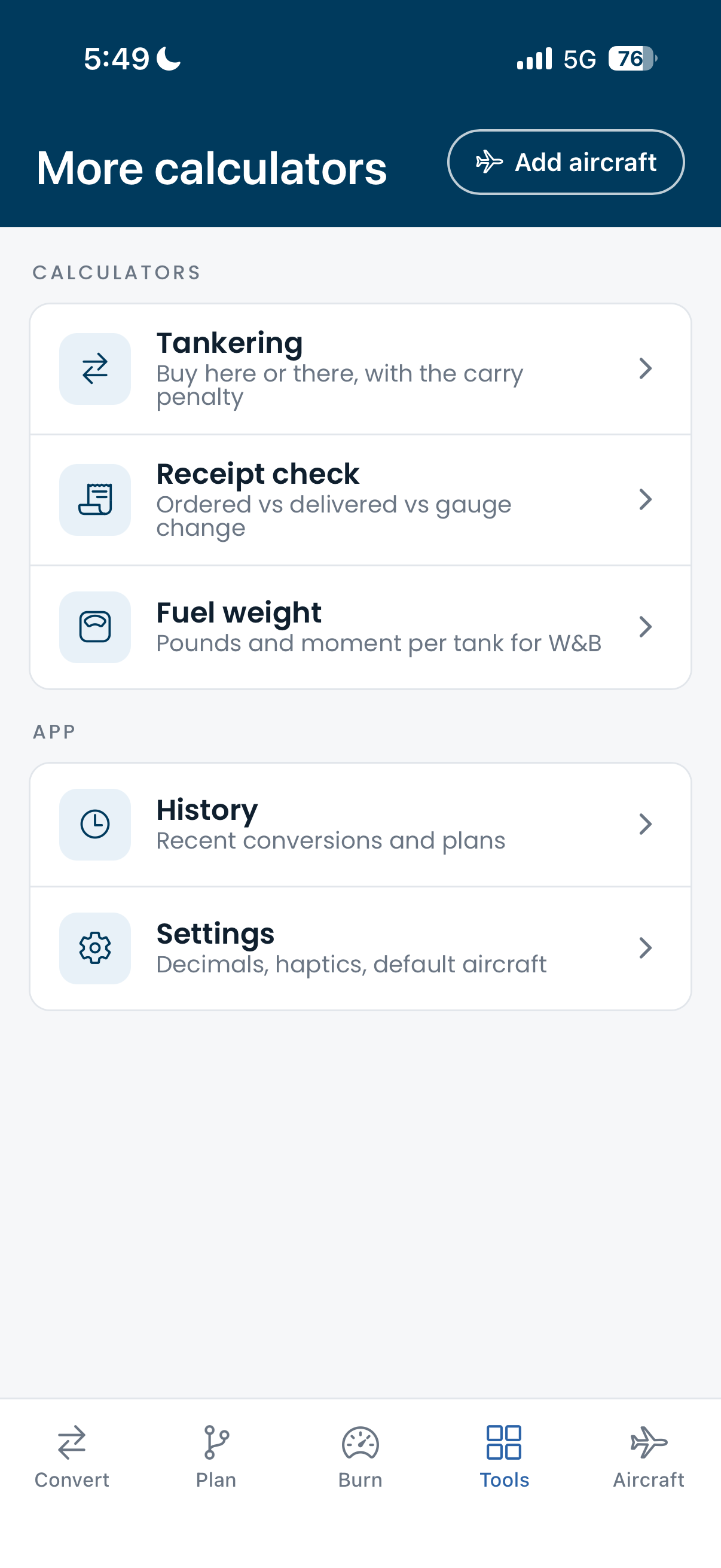
Three checks for the ramp.
- Tankering. Price here, price there, fuel needed, and a carry penalty give a verdict and the amount saved, with a check that it fits in the tanks.
- Receipt check. Ordered vs delivered vs gauge change, plus slip density vs standard, each flagged against a tolerance.
- Fuel weight. Pounds and moment per tank, split by the profile's tank arms, ready for the weight and balance.
Aircraft profiles
Set it up once. Every calculator pre-fills.
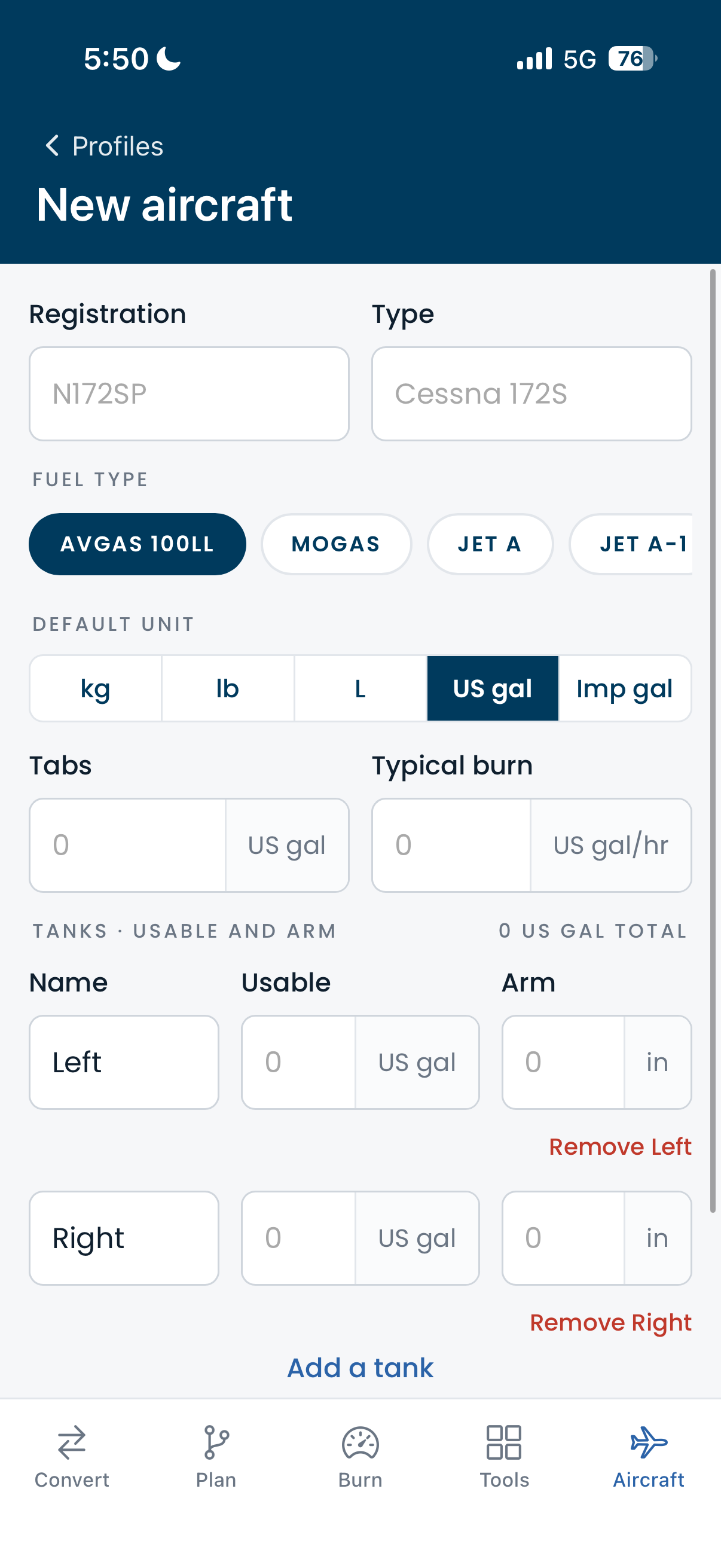
A profile holds registration, type, fuel type, default unit, tabs, typical burn, and each tank's usable fuel and arm. Switch aircraft from any screen and the converter, planner, and tools pick up the new numbers.
- Any number of tanks, each with its own usable quantity and arm.
- Several aircraft side by side, with one marked as the default.
Every screen
Built for one-handed use on the ramp.
Big targets, high contrast, and the result card always within reach.
Why density matters
Weight to volume needs a density, and batches vary.
Converting kilograms or pounds to litres or gallons is only as good as the density you use. Jet fuel batches differ: ASTM D1655 allows 0.775 to 0.840 kg/L at 15 °C, a spread of about eight percent. FuelCalc shows the default in use and its reference condition, and lets you override it with the value on the fuel slip or correct it for outside air temperature.
Get FuelCalc
Free on the App Store and Google Play. Runs on iPhone, iPad, and Android phones and tablets.
Privacy
FuelCalc stores everything on your device. No account, no analytics, no data leaves your phone.